DASMIKRO SANWA FH5 NANO 4CH TOWER ANTENNA GYRO RECEIVER
Description
DASMIKRO SANWA FH5 NANO 4CH TOWER ANTENNA GYRO RECEIVER

Description:
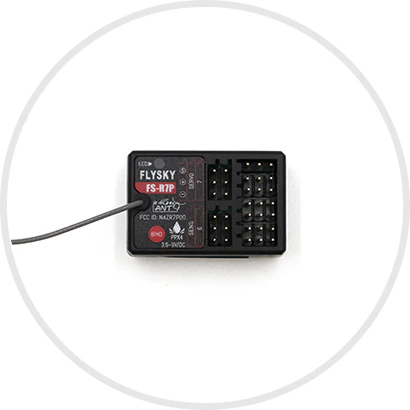
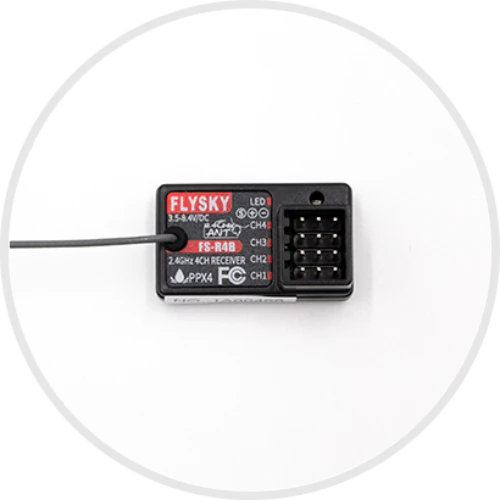
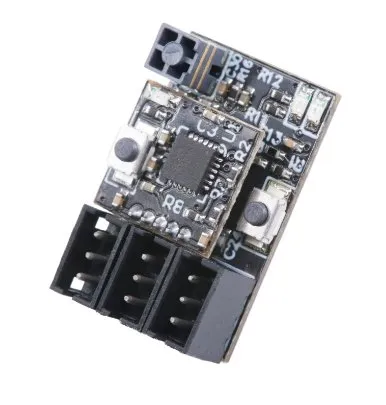
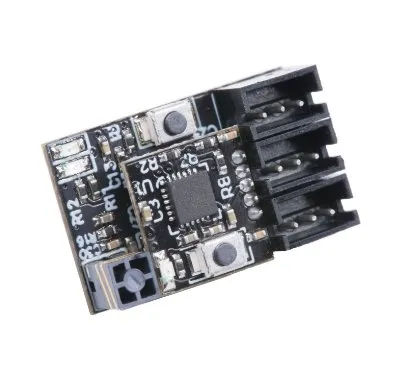
This RC receiver unit is Sanwa FH4 compatible. It offers full 4-channel support in ultra-light weight and micro size.
Features:
1. Sanwa 2.4GHz FH3/FH4 Selectable Via Transmitter
2. High performance CPU enhance precision control feeling
3. Integrated high performance dual sensitivity GYRO with EPA setup
4. Tower antenna provides both good receipt signal and space saving
5. Nano size (19mm x 12mm)
6. Added failsafe function
7. Operating Voltage 3.5V – 12V
8. Weight: 3g
Binding:
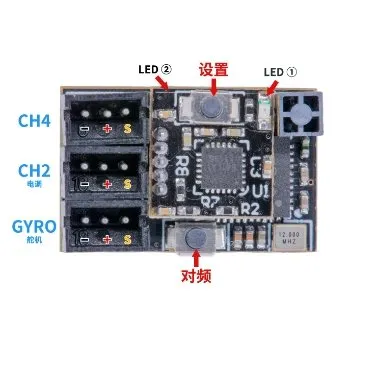
1. Press the BIND button and power on the receiver, the receiver’s led will flash quickly.
2. Put the transmitter into bind mode. The receiver’s led will flash slowly when the binding is successful.
3. Disconnect receiver’s power and reconnect the power cable to the receiver. Now is should working normally.
GYRO sensitivity Adjustment:
The gyro sensitivity is controlled by CH3 value which could be adjusted on the transmitter. When the CH3 value is 50%, the sensitivity is zero. Turn CH3 value to 0% or 100% both can reach 100% sensitivity. Turn CH3 value to 0% or turn CH3 value to 100% will have different sensitivity curve. The GYRO provides 2 different optimized sensitivity curves for drifting.
Gyroscope EPA Adjustment:
First adjust (left and right steering) on the transmitter, the EPA value you need.
EPA (Travel) Setting (Gyro forward setting):
Press the “SETUP” button, turn on the GYRO. When the LED starts blinking fast, wait for the LED to blink slowly and the gyroscope is now in EPA (travel) setup mode, release the “SETUP” button. First turn the remote control to the left “EPA” position (the left end of the chassis) and stop there for a few seconds, when the left “EPA” position is saved in the gyroscope, the servo will automatically return to the middle position. Then turn the remote to the correct “EPA” position (right end position of the chassis) and stop there for a few seconds, when the correct “EPA” position is saved in the GYRO and EPA (drive) settings, the SERVO will automatically return to The middle position has been completed.
EPA (Travel) Setting (Gyro Reverse Setting):
Press the “SETUP” button, turn on the GYRO. When the LED starts blinking fast, wait for the LED to blink slowly and the gyroscope is now in EPA (travel) setup mode, release the “SETUP” button. First turn the remote control to the right “EPA” position (the right end of the chassis) and stop there for a few seconds, when the left “EPA” position is saved in the gyroscope, the servo will automatically return to the middle position. Then turn the remote to the “EPA” position on the left (left end position of the chassis) and stop there for a few seconds, when the correct “EPA” position is saved in the GYRO and EPA (drive) settings, the SERVO will automatically return to the middle position has been completed.
After the above settings are completed, please re-adjust the EPA value on the transmitter, and adjust the value according to the steering of your car chassis to the value you need.
Compatible Transmitters:
Sanwa M17
Sanwa M12S
Sanwa M12
Sanwa MT44
Sanwa MT4S
Sanwa MT4
Package Included:
1 x Receiver
4 x 1.5mm 3P JST plug with high quality silicon cable

Product Information
Product Information
Shipping & Returns
Shipping & Returns
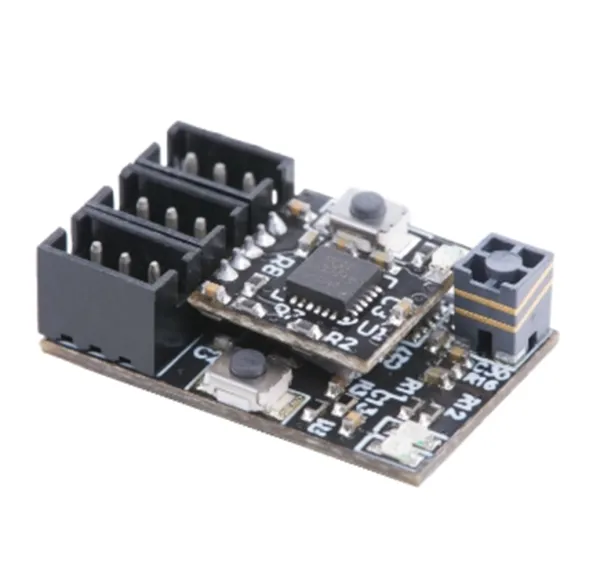
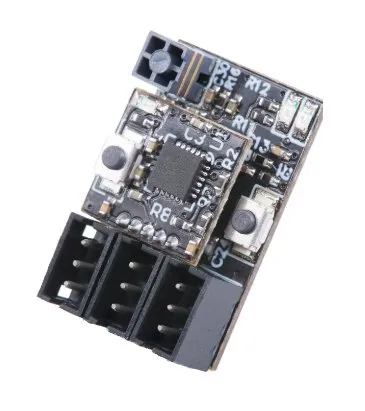
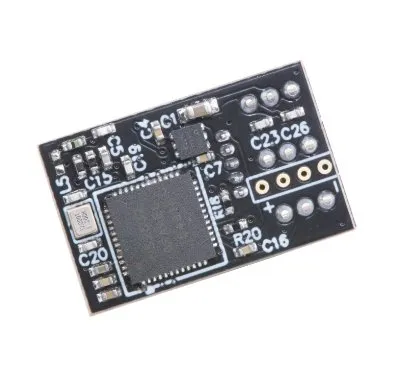
DASMIKRO SANWA FH5 NANO 4CH TOWER ANTENNA GYRO RECEIVER
DASMIKRO SANWA FH5 NANO 4CH TOWER ANTENNA GYRO RECEIVER
Description
DASMIKRO SANWA FH5 NANO 4CH TOWER ANTENNA GYRO RECEIVER
Description:
This RC receiver unit is Sanwa FH4 compatible. It offers full 4-channel support in ultra-light weight and micro size.
Features:
1. Sanwa 2.4GHz FH3/FH4 Selectable Via Transmitter
2. High performance CPU enhance precision control feeling
3. Integrated high performance dual sensitivity GYRO with EPA setup
4. Tower antenna provides both good receipt signal and space saving
5. Nano size (19mm x 12mm)
6. Added failsafe function
7. Operating Voltage 3.5V – 12V
8. Weight: 3g
Binding:
1. Press the BIND button and power on the receiver, the receiver’s led will flash quickly.
2. Put the transmitter into bind mode. The receiver’s led will flash slowly when the binding is successful.
3. Disconnect receiver’s power and reconnect the power cable to the receiver. Now is should working normally.
GYRO sensitivity Adjustment:
The gyro sensitivity is controlled by CH3 value which could be adjusted on the transmitter. When the CH3 value is 50%, the sensitivity is zero. Turn CH3 value to 0% or 100% both can reach 100% sensitivity. Turn CH3 value to 0% or turn CH3 value to 100% will have different sensitivity curve. The GYRO provides 2 different optimized sensitivity curves for drifting.
Gyroscope EPA Adjustment:
First adjust (left and right steering) on the transmitter, the EPA value you need.
EPA (Travel) Setting (Gyro forward setting):
Press the “SETUP” button, turn on the GYRO. When the LED starts blinking fast, wait for the LED to blink slowly and the gyroscope is now in EPA (travel) setup mode, release the “SETUP” button. First turn the remote control to the left “EPA” position (the left end of the chassis) and stop there for a few seconds, when the left “EPA” position is saved in the gyroscope, the servo will automatically return to the middle position. Then turn the remote to the correct “EPA” position (right end position of the chassis) and stop there for a few seconds, when the correct “EPA” position is saved in the GYRO and EPA (drive) settings, the SERVO will automatically return to The middle position has been completed.
EPA (Travel) Setting (Gyro Reverse Setting):
Press the “SETUP” button, turn on the GYRO. When the LED starts blinking fast, wait for the LED to blink slowly and the gyroscope is now in EPA (travel) setup mode, release the “SETUP” button. First turn the remote control to the right “EPA” position (the right end of the chassis) and stop there for a few seconds, when the left “EPA” position is saved in the gyroscope, the servo will automatically return to the middle position. Then turn the remote to the “EPA” position on the left (left end position of the chassis) and stop there for a few seconds, when the correct “EPA” position is saved in the GYRO and EPA (drive) settings, the SERVO will automatically return to the middle position has been completed.
After the above settings are completed, please re-adjust the EPA value on the transmitter, and adjust the value according to the steering of your car chassis to the value you need.
Compatible Transmitters:
Sanwa M17
Sanwa M12S
Sanwa M12
Sanwa MT44
Sanwa MT4S
Sanwa MT4
Package Included:
1 x Receiver
4 x 1.5mm 3P JST plug with high quality silicon cable
Product Information
Product Information
Shipping & Returns
Shipping & Returns
Description
Description
DASMIKRO SANWA FH5 NANO 4CH TOWER ANTENNA GYRO RECEIVER
Description:
This RC receiver unit is Sanwa FH4 compatible. It offers full 4-channel support in ultra-light weight and micro size.
Features:
1. Sanwa 2.4GHz FH3/FH4 Selectable Via Transmitter
2. High performance CPU enhance precision control feeling
3. Integrated high performance dual sensitivity GYRO with EPA setup
4. Tower antenna provides both good receipt signal and space saving
5. Nano size (19mm x 12mm)
6. Added failsafe function
7. Operating Voltage 3.5V – 12V
8. Weight: 3g
Binding:
1. Press the BIND button and power on the receiver, the receiver’s led will flash quickly.
2. Put the transmitter into bind mode. The receiver’s led will flash slowly when the binding is successful.
3. Disconnect receiver’s power and reconnect the power cable to the receiver. Now is should working normally.
GYRO sensitivity Adjustment:
The gyro sensitivity is controlled by CH3 value which could be adjusted on the transmitter. When the CH3 value is 50%, the sensitivity is zero. Turn CH3 value to 0% or 100% both can reach 100% sensitivity. Turn CH3 value to 0% or turn CH3 value to 100% will have different sensitivity curve. The GYRO provides 2 different optimized sensitivity curves for drifting.
Gyroscope EPA Adjustment:
First adjust (left and right steering) on the transmitter, the EPA value you need.
EPA (Travel) Setting (Gyro forward setting):
Press the “SETUP” button, turn on the GYRO. When the LED starts blinking fast, wait for the LED to blink slowly and the gyroscope is now in EPA (travel) setup mode, release the “SETUP” button. First turn the remote control to the left “EPA” position (the left end of the chassis) and stop there for a few seconds, when the left “EPA” position is saved in the gyroscope, the servo will automatically return to the middle position. Then turn the remote to the correct “EPA” position (right end position of the chassis) and stop there for a few seconds, when the correct “EPA” position is saved in the GYRO and EPA (drive) settings, the SERVO will automatically return to The middle position has been completed.
EPA (Travel) Setting (Gyro Reverse Setting):
Press the “SETUP” button, turn on the GYRO. When the LED starts blinking fast, wait for the LED to blink slowly and the gyroscope is now in EPA (travel) setup mode, release the “SETUP” button. First turn the remote control to the right “EPA” position (the right end of the chassis) and stop there for a few seconds, when the left “EPA” position is saved in the gyroscope, the servo will automatically return to the middle position. Then turn the remote to the “EPA” position on the left (left end position of the chassis) and stop there for a few seconds, when the correct “EPA” position is saved in the GYRO and EPA (drive) settings, the SERVO will automatically return to the middle position has been completed.
After the above settings are completed, please re-adjust the EPA value on the transmitter, and adjust the value according to the steering of your car chassis to the value you need.
Compatible Transmitters:
Sanwa M17
Sanwa M12S
Sanwa M12
Sanwa MT44
Sanwa MT4S
Sanwa MT4
Package Included:
1 x Receiver
4 x 1.5mm 3P JST plug with high quality silicon cable